Sign digital by USB Token
Creation Date: Oct 15, 2025
Created By: VNPT eContract's team
The USB Token digital signing feature allows users to securely and safely sign electronic documents. The USB Token stores private cryptographic keys offline, protecting them from unauthorized access and ensuring the authenticity and integrity of documents. Users can easily carry and use the USB Token to sign documents on any computer with a USB port, providing high flexibility for electronic transactions.
Verify information before using USB Token digital signature
Before using the USB Token for digital signature, the signer needs to:
- Check and install the digital signature tool (Plugin) provided by the chosen digital signature service provider.
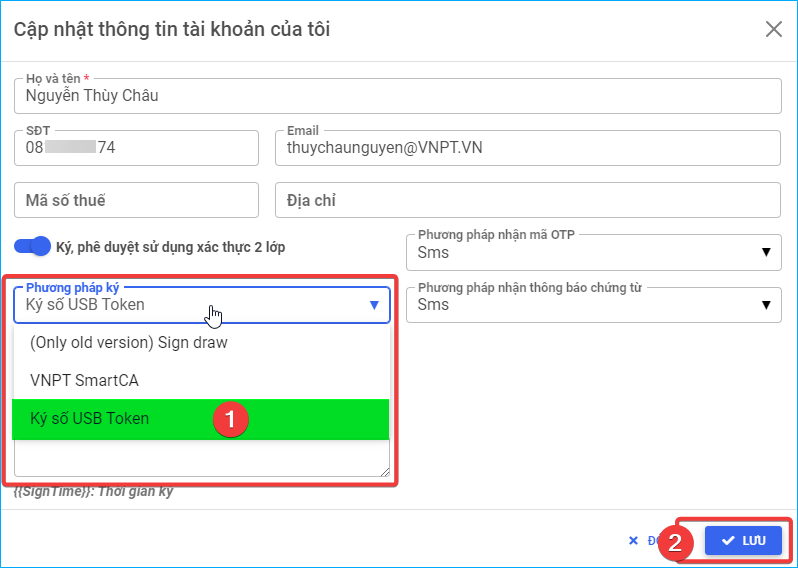
- Verify and select the correct digital signing method "USB Token Digital Signature" on the VNPT eContract system.
1. Guide to verify and install the signature plugin: VNPT-CA plugin
VNPT-CA plugin is additional software that add digital signing functionality to web applications.
- Option 1: Visit https://smartca.vnpt.vn/download, scroll to "PLUGIN INSTALLER", choose the appropriate version for your computer's operating system to download
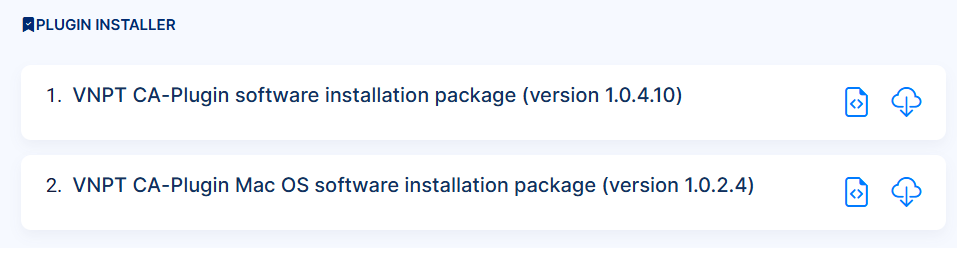
- Option 2: Users can directly download here
- After installing the VNPT-CA Plugin, you need to restart your computer to ensure the Plugin functions correctly.
2. Check and select "USB Token digital signature" method
Access the Account management screen, update the information, select the "USB Token Digital Signature" method, and save the updated information. Additionally, users can switch between different signing methods directly on the Sign / Approve document screen.
Digital signature of documents using USB Token
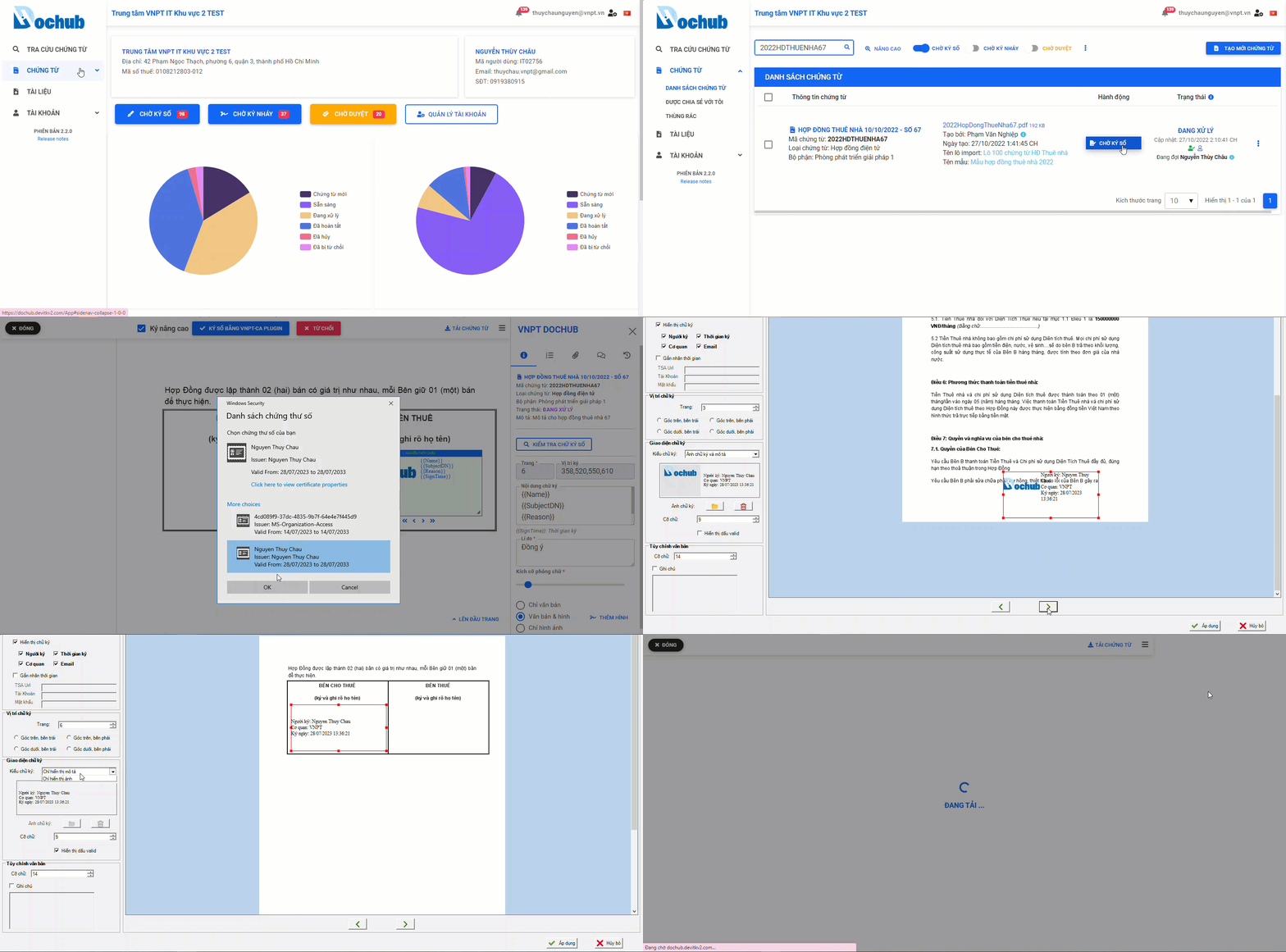
1. Signing a single document
Signing a single document using VNPT-CA plugin
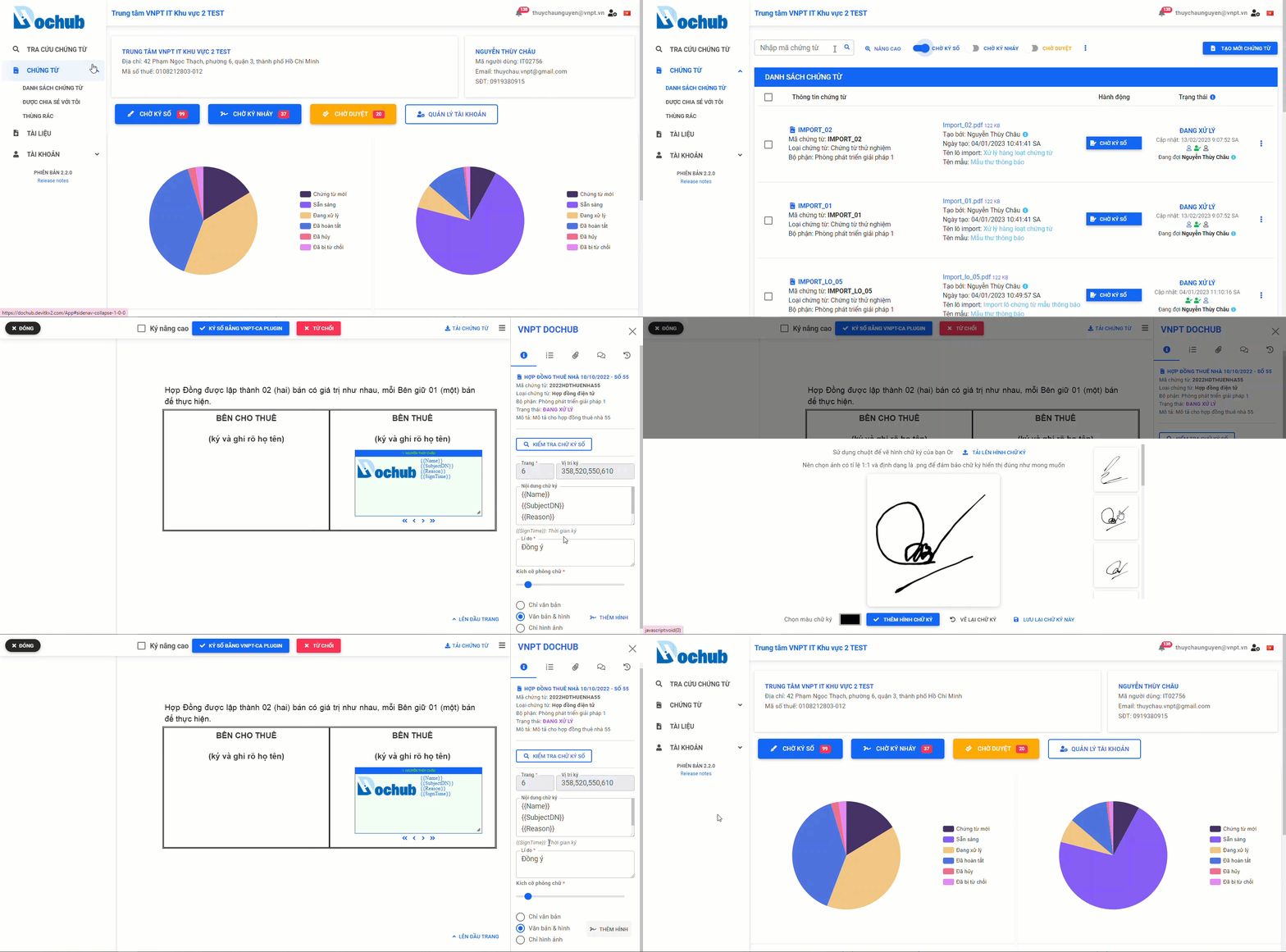
Advanced USB Token signature for single document using VNPT-CA plugin
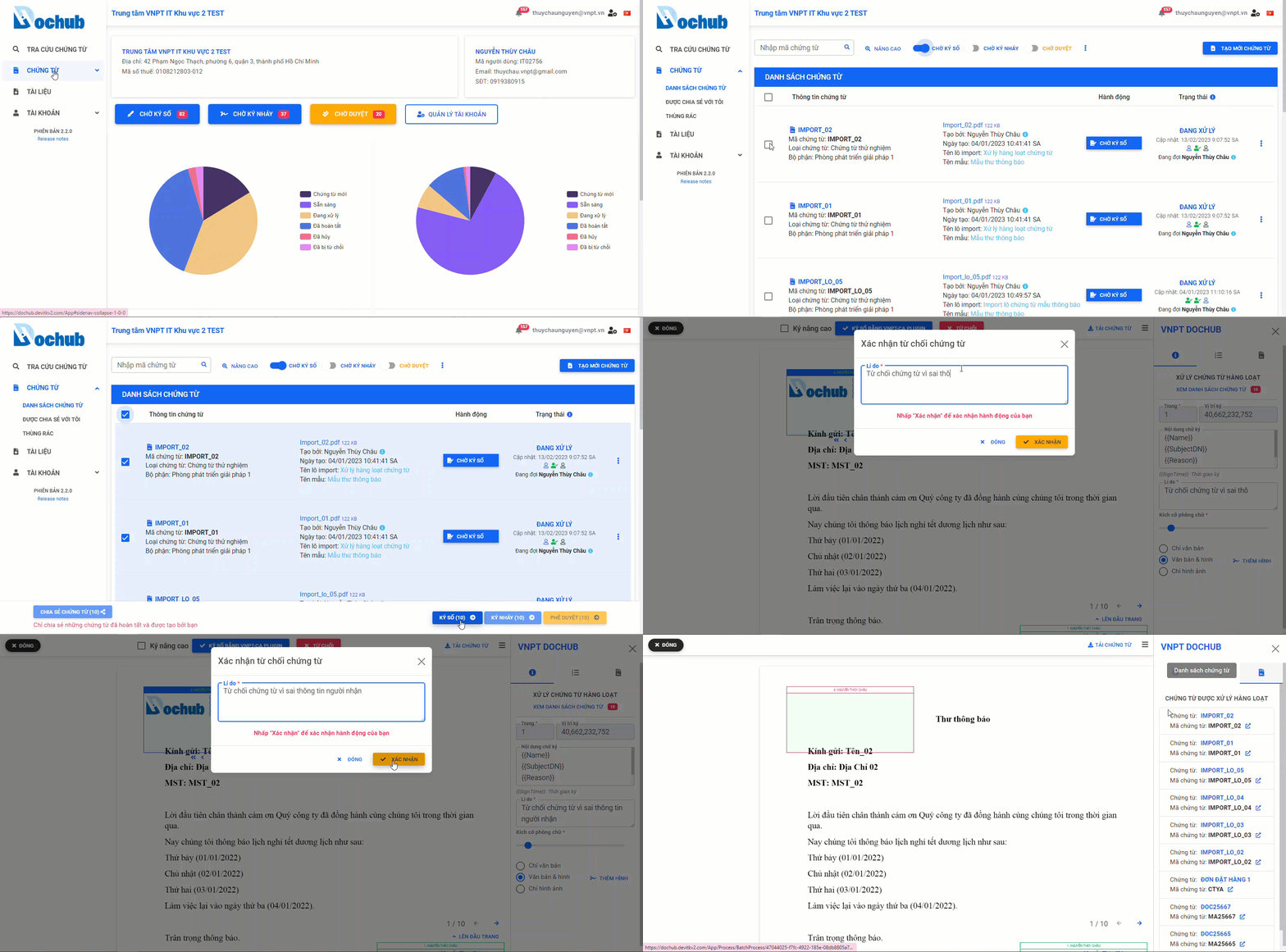
2. Signing multiple documents
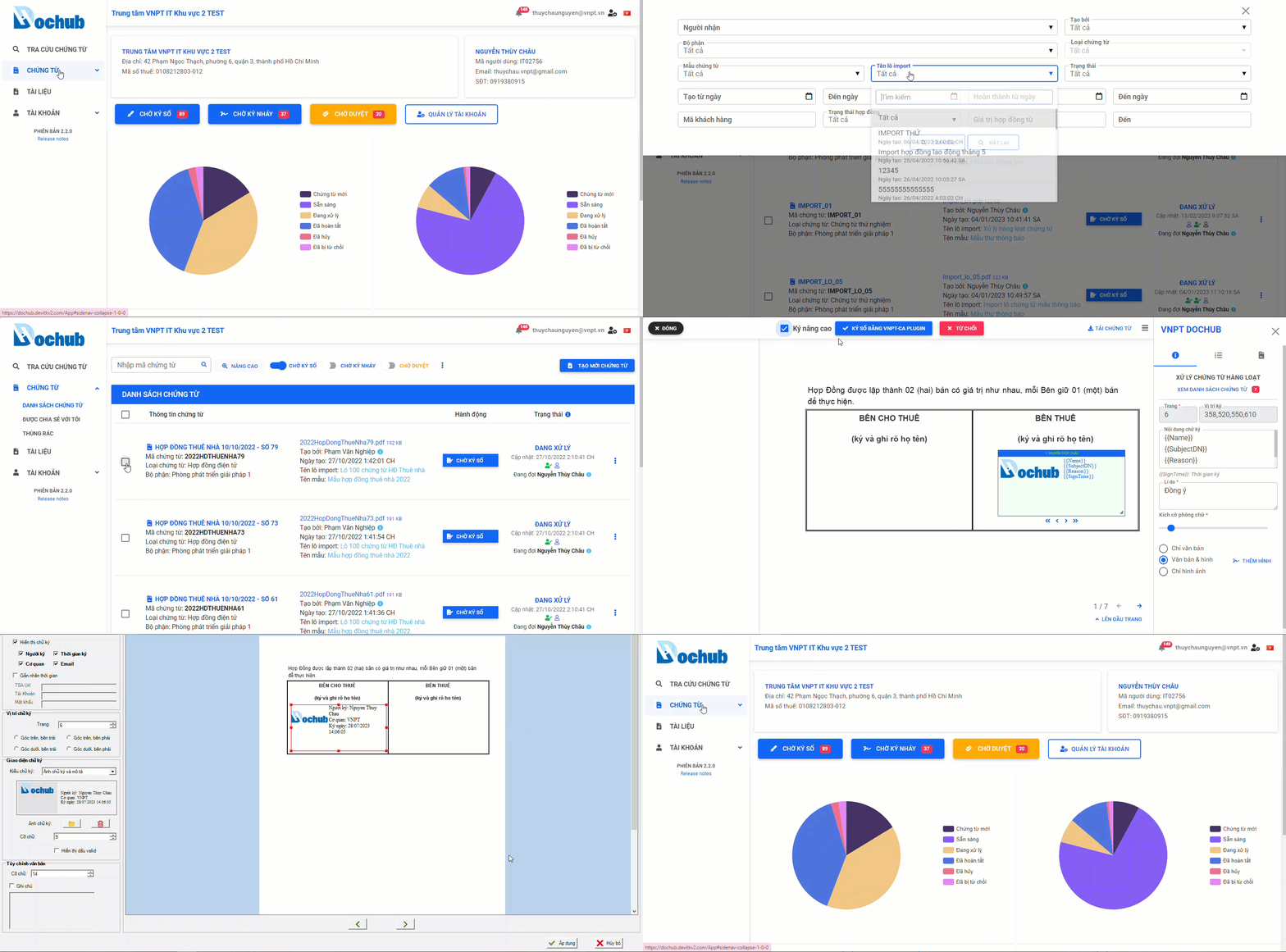
Signing multiple documents using VNPT-CA plugin
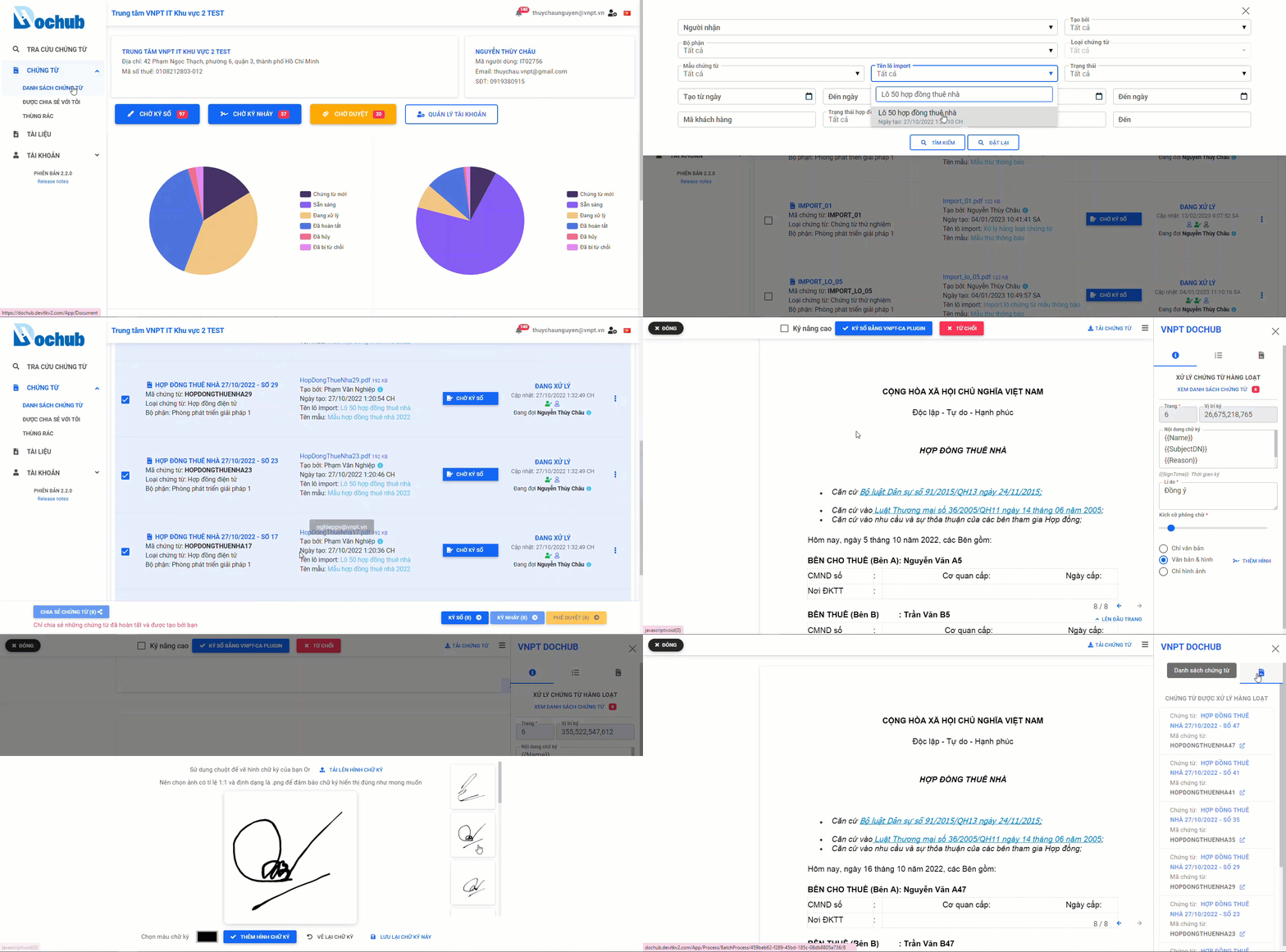
Advanced USB Token signature for multiple documents using VNPT-CA plugin
Rejecting document signature
1. Rejecting the signature of a single document
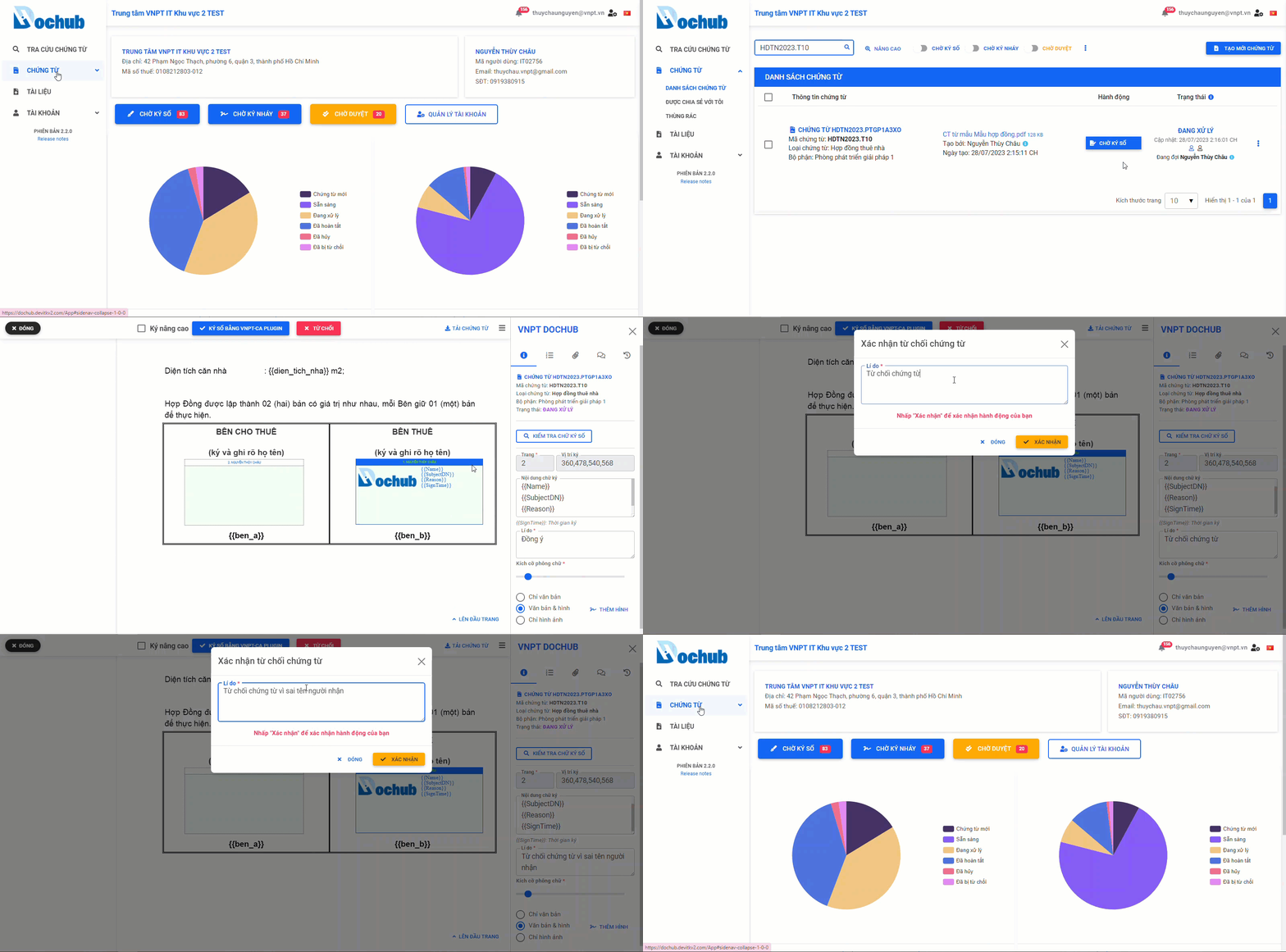
2. Rejecting the signature of multiple documents